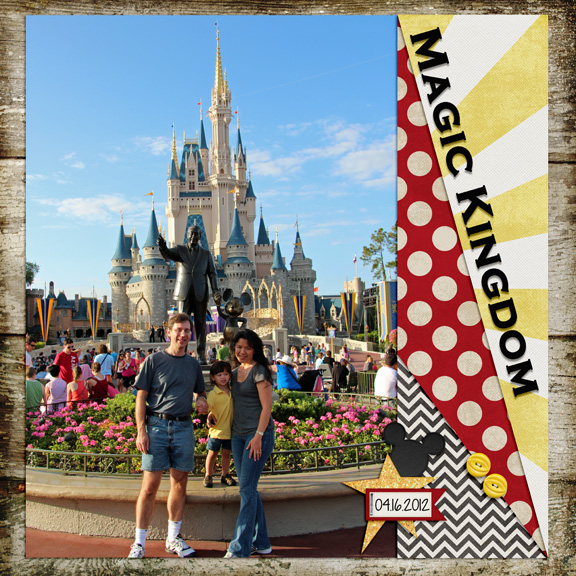
Here is my layout:
1. A half marathon is 13.1 miles, so I want to see an odd number of pictures. No minimum or maximum, just as long as it's an odd number -
CHECKED, used 1 photo.
2. Doing a half marathon, or any rundisney race, is a BIG deal, so I want to see something large. It could be a picture, title, element, it's up to you (but it can't be the background paper ). I'm thinking 1/4 of the page, but like everything in a speed scrap, it's open to interpretation -
CHECKED, used LARGE photo.
3. Rundisney does such a great job with theming the races, course, and medals, so I want to see a themed element to your layout. For example, if you're doing a layout about Snow White, you could use any princess type element, an apple, etc. If all else fails, use a Mickey head -
CHECKED - used a Mickey head.
4. I always dress up for the races, and most of my costumes include a sparkle skirt. So use something with glitter or rhinestones -
CHECKED - used a glittered star.
5. Most of the medals are circle shaped, so I want to see something circular on the layout. Small, big, it doesn't matter. A mickey head counts too -
CHECKED - used 2 yellow (round) buttoms).
6. I never want to take that medal off! So attach something to the page with tape, a staple, a button, etc -
CHECKED - stapled the date tag to the page.
7. Normally I'd require jouraling, but I know I'm exhausted after a long race, so with the marathon, I'm giving you a break. Add any finishing touches: Journal (if you want!), date (if you want!), rock your shadows, and upload that layout! -
CHECKED - dated and shadowed the layout.
Also posted here -->
http://www.mousescrappers.com/forums...050#post164050